Case Study:
crmpro.com
DASHBOARD

01
Overview
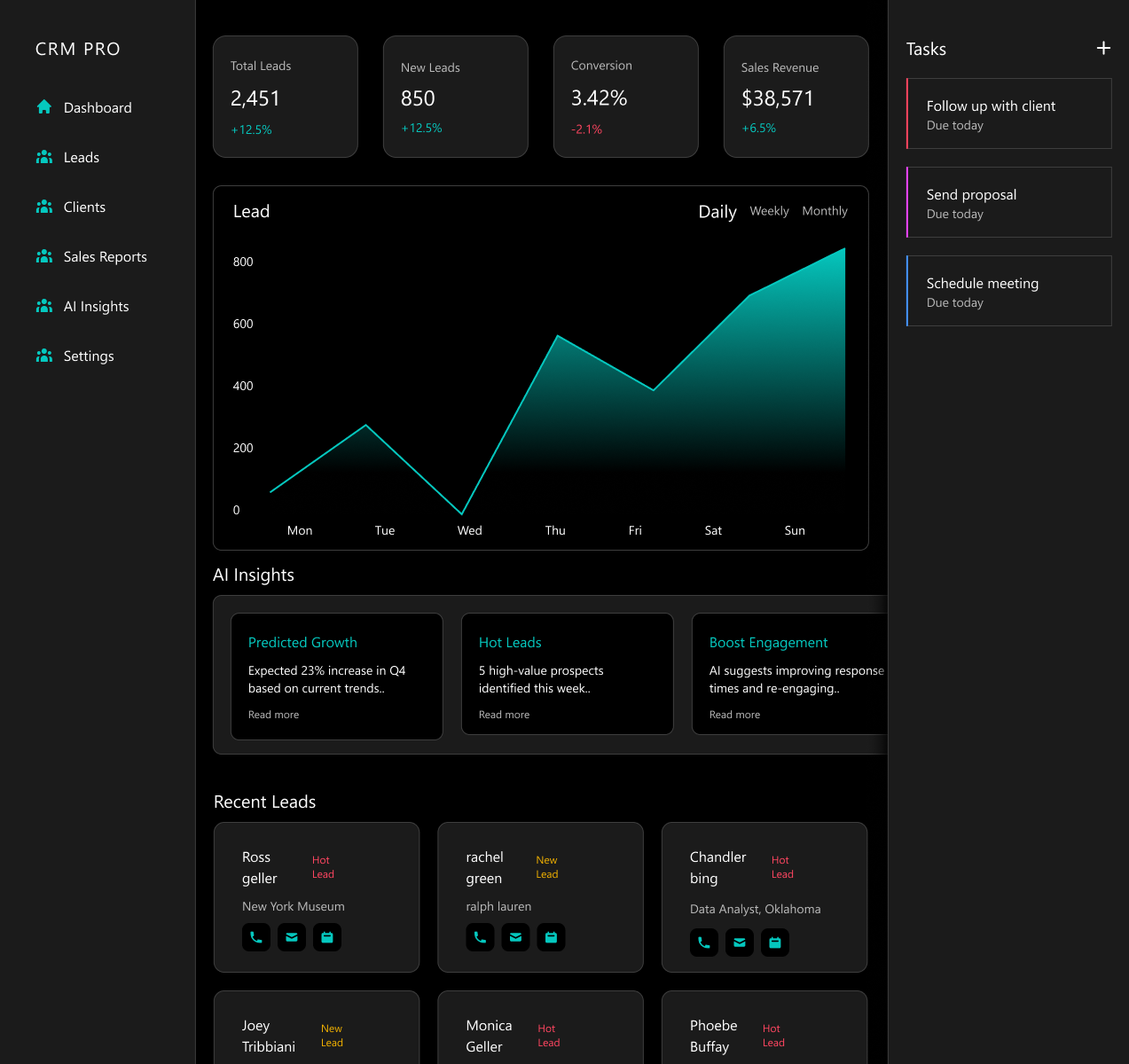
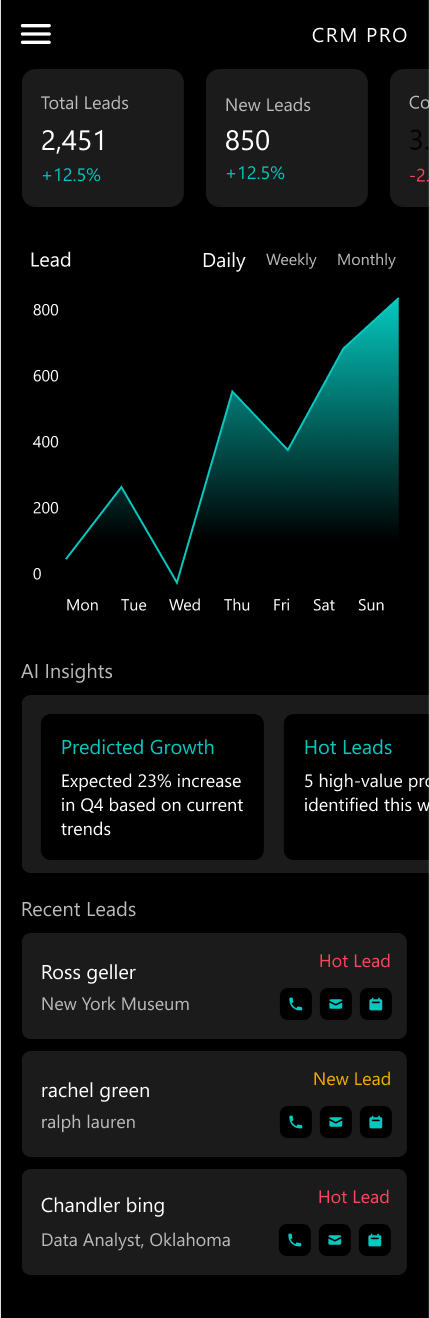
This case study presents a sleek, modern, and visually engaging UI design for a CRM dashboard. The design features a clean, professional feel with gradient turquoise accents for highlights and interactive elements. The layout is well-structured, intuitive, and optimized for an efficient user experience in managing customer relationships.

02
Main UI Components
- Sidebar Navigation:
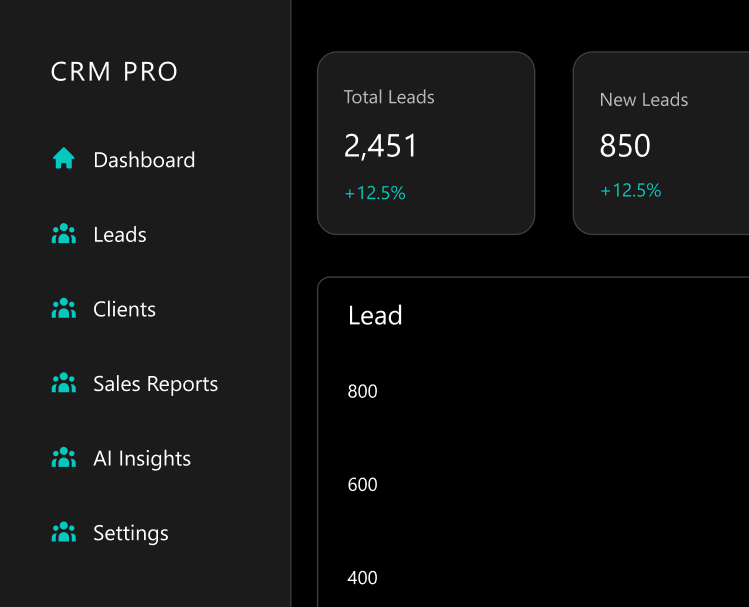
- Positioned on the left side with minimalistic icons and text labels for sections.
- A subtle hover animation effect when expanding/collapsing.
- Active state indicator using a turquoise accent.
- Customer Overview & Sales Insights Panel:
- A top overview widget displaying Total leads, new leads, conversion rate and more..
- Smooth, animated data visualizations, such as line charts and bar graphs with soft glow effects.
- Lead & Client Management Section:
- Dynamic cards for each lead/client, containing Name, company, status, Priority tag, Quick action buttons and more..
- Drag & drop functionality to move leads across sales funnel stages.
- Customization Options:
- AI-driven insights panel, showing Sales trend predictions,High-value potential leads and Recommended follow-up actions.
- Automation settings section for scheduling follow-ups, sending reminders, or triggering actions.
- Task & Activity Management:
- To-Do list with deadlines and priority markers.
- Drag & drop task board (Kanban style) with customizable columns.
- Activity feed showing recent interactions, updates, and team comments.
- Notifications & Integrations:
- Real-time notifications with glowing badge counters.
- Seamless integration with Slack, Gmail, and Calendars.
- Customizable alert settings per user role.
03
UI Guidelines
& Design Style
- Light, clean color palette with turquoise gradient highlights on interactive elements (buttons, active states, progress bars).
- Rounded corners, smooth shadows, and soft-glow hover effects.
- Neatly spaced grid layout, ensuring high readability and usability.
- Micro-interactions for enhanced UX, such as smooth panel transitions and hover effects on cards.
- Developer-friendly design using auto-layout components and responsive breakpoints for seamless adaptation across different screen sizes.
This UI is designed to provide a premium, engaging, and intuitive experience for sales teams and account managers.


LET’S TALK.
you know Your users deserve better experiences. I design those. let’s talk.




@2024 created by Asaf Ehud
Case Study:
crmpro.com
DASHBOARD

02
Main UI Components
- Sidebar Navigation:
- Positioned on the left side with minimalistic icons and text labels for sections.
- A subtle hover animation effect when expanding/collapsing.
- Active state indicator using a turquoise accent.
- Customer Overview & Sales Insights Panel:
- A top overview widget displaying Total leads, new leads, conversion rate and more..
- Smooth, animated data visualizations, such as line charts and bar graphs with soft glow effects.
- Lead & Client Management Section:
- Dynamic cards for each lead/client, containing Name, company, status, Priority tag, Quick action buttons and more..
- Drag & drop functionality to move leads across sales funnel stages.
- Customization Options:
- AI-driven insights panel, showing Sales trend predictions,High-value potential leads and Recommended follow-up actions.
- Automation settings section for scheduling follow-ups, sending reminders, or triggering actions.
- Task & Activity Management:
- To-Do list with deadlines and priority markers.
- Drag & drop task board (Kanban style) with customizable columns.
- Activity feed showing recent interactions, updates, and team comments.
- Notifications & Integrations:
- Real-time notifications with glowing badge counters.
- Seamless integration with Slack, Gmail, and Calendars.
- Customizable alert settings per user role.
In conclusion
The CRM dashboard design balances functionality with aesthetics, ensuring an intuitive and seamless user experience. By integrating AI-driven insights, dynamic lead management, and real-time collaboration tools, this design enhances productivity and efficiency for sales teams. The use of a clean, light color scheme with turquoise highlights makes the interface visually appealing while maintaining clarity and usability. This project showcases a modern and effective approach to CRM UI/UX design, reinforcing the importance of user-centered design principles in business applications.


LET’S TALK.
you know Your users deserve better experiences. I design those. let’s talk.

@2024 created by Asaf Ehud